Controller Workflow
This workflow covers how the Controller processes payments in the Monday.com AP Board.
Accessing the Payment View
-
Open the AP Board in Monday.com
AP Board Open the AP Board in Monday.com -
Select the Payments tab
Click on Payments in the table view tabs at the top of the board.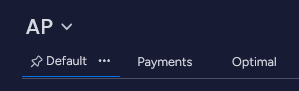
Processing Payments
The Payments view shows all invoices ready for payment confirmation.
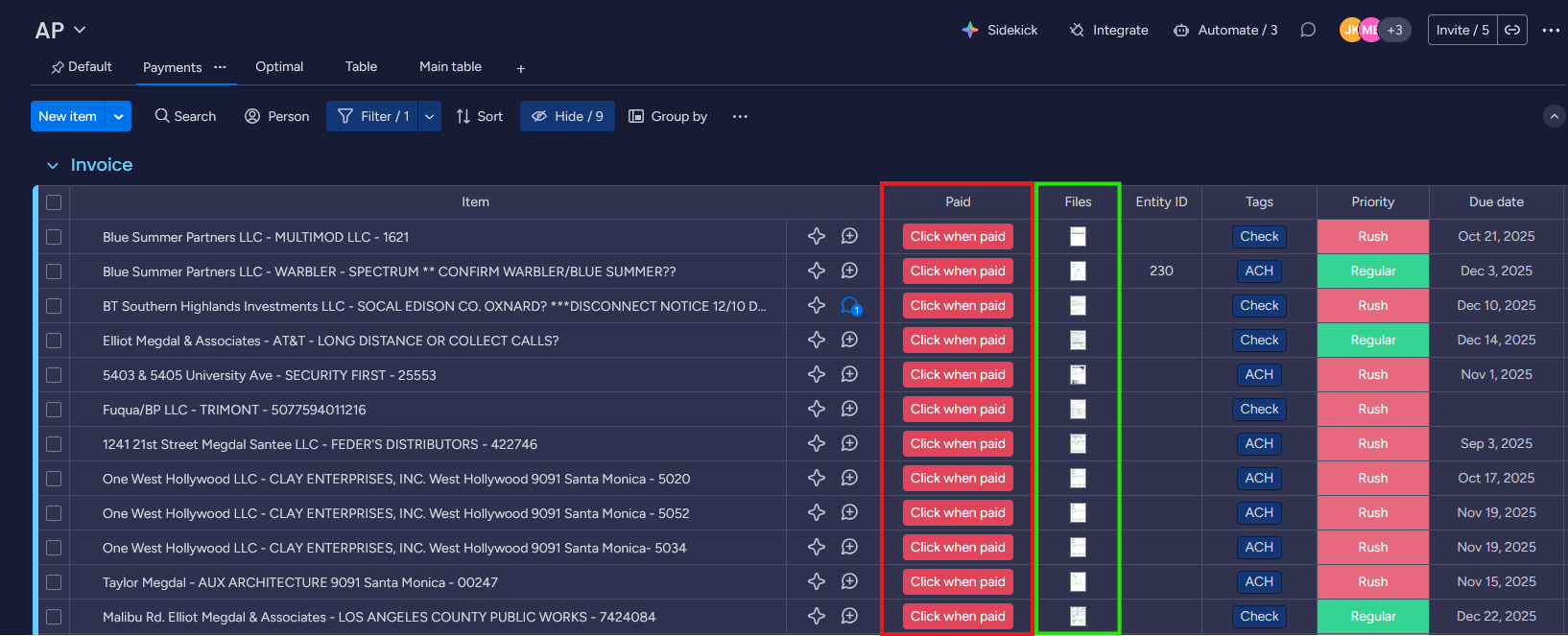
Key columns:
- Paid (red box): Click the Click when paid button to mark an invoice as paid
- Sets the invoice status to Paid
- Sets the Paid Date to today’s date
- Files (green box): Click to preview attached invoice PDFs and backup documentation
Undoing Changes
If you accidentally mark an invoice as paid or make other changes:
-
Open the Activity Log
 Click on Activity Log in the board header.
 -
Find the change
The AP Log shows all recent changes with timestamps and user names.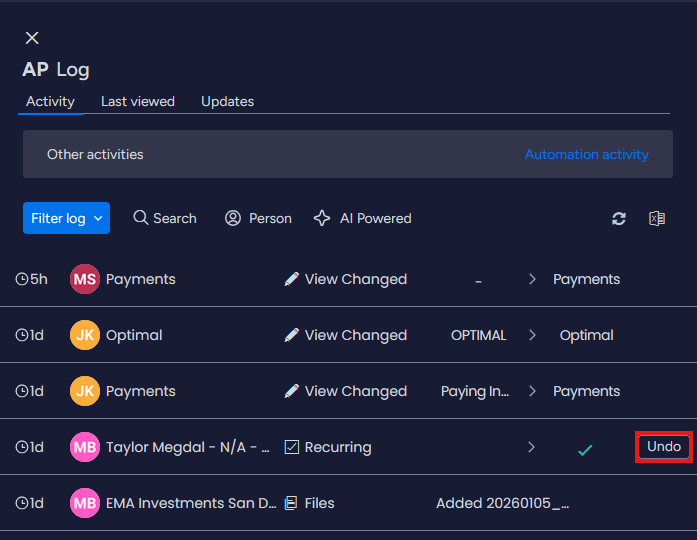
-
Click Undo
Click the Undo button (shown in red box) next to the change you want to reverse.