

Email Signature
Every Megtech email should end with the same signature. Fill in your details below, copy, and paste it into Outlook.
Email
Preview
Click copy, then paste into your Outlook signature box with Ctrl+V. Scroll down to see Outlook instructions!
Add it to Outlook
-
Click Copy signature above.
-
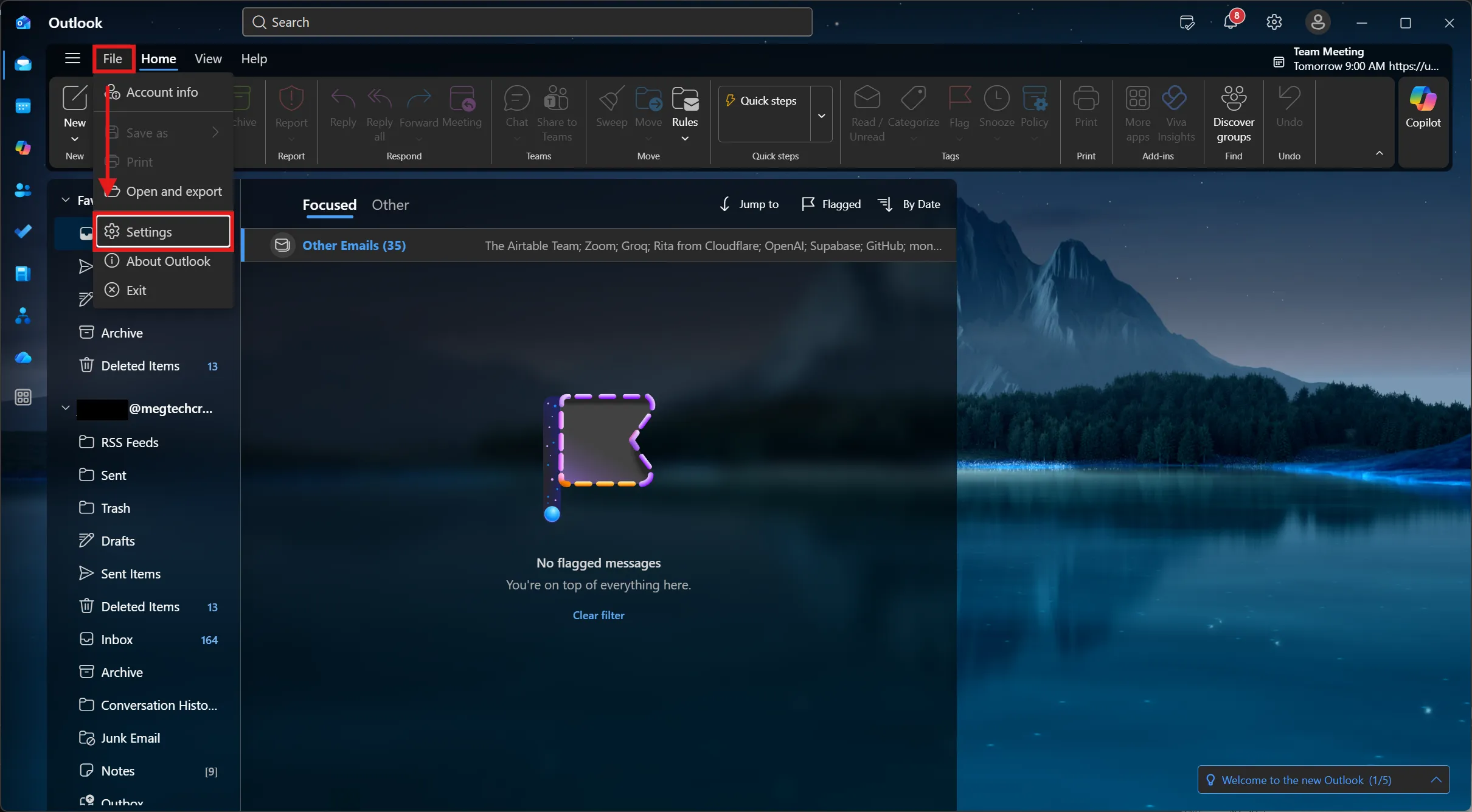
Open File › Settings.
-
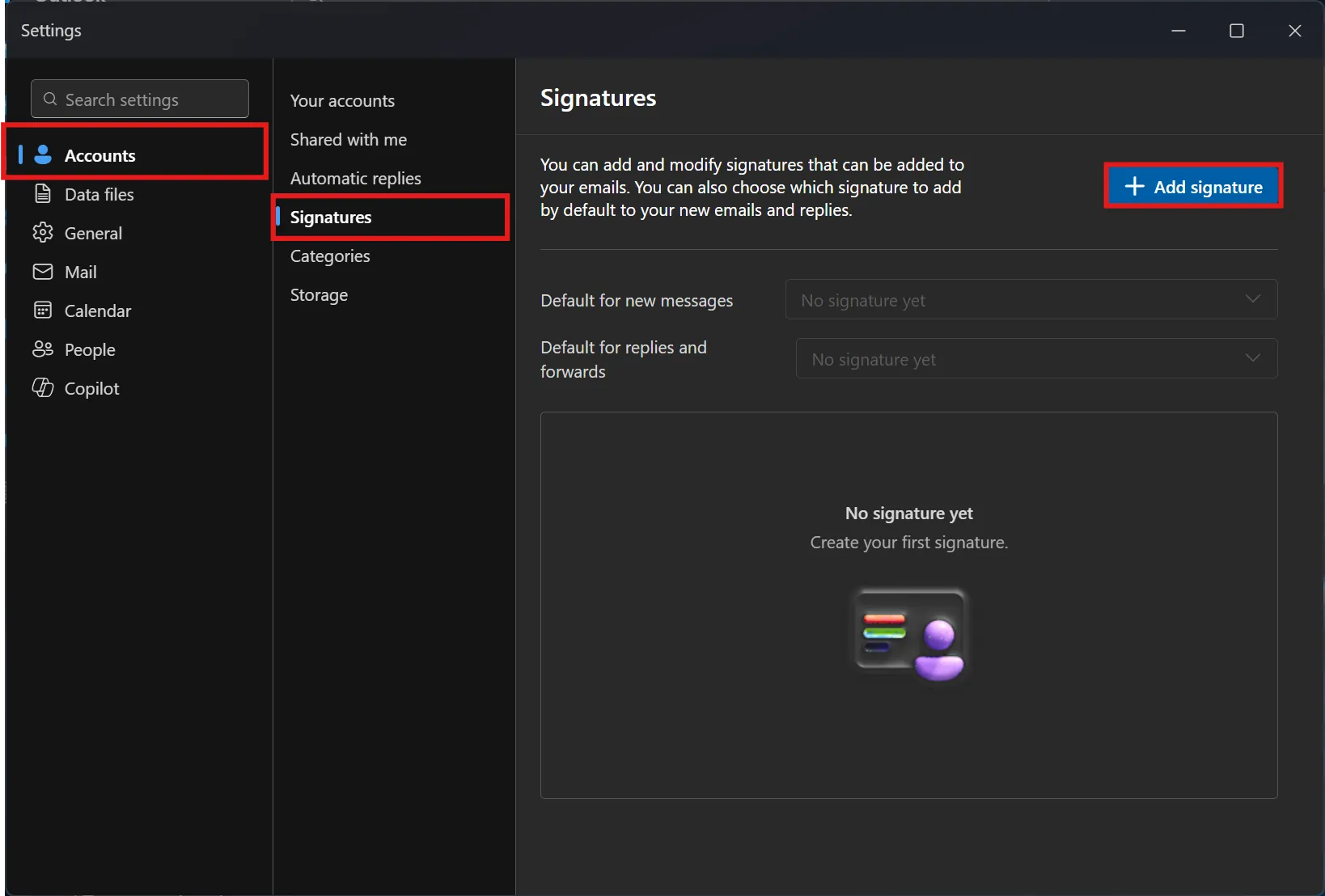
Go to Accounts › Signatures and click Add signature. If one already exists, select it to edit.
-
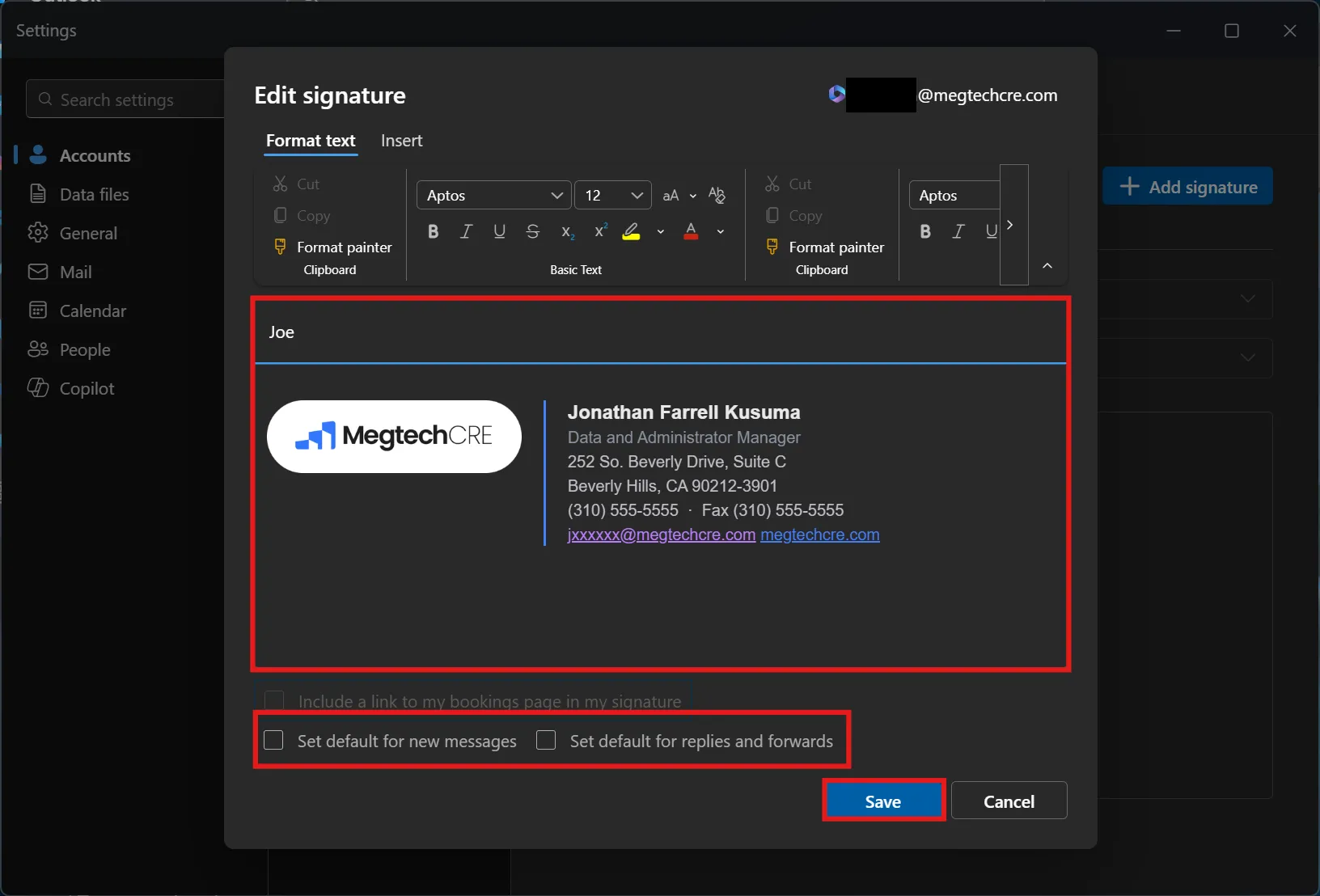
Click in the box and paste with Ctrl+V. Tick Set default for new messages and Set default for replies and forwards, then click Save.
-
Click Copy signature above.
-
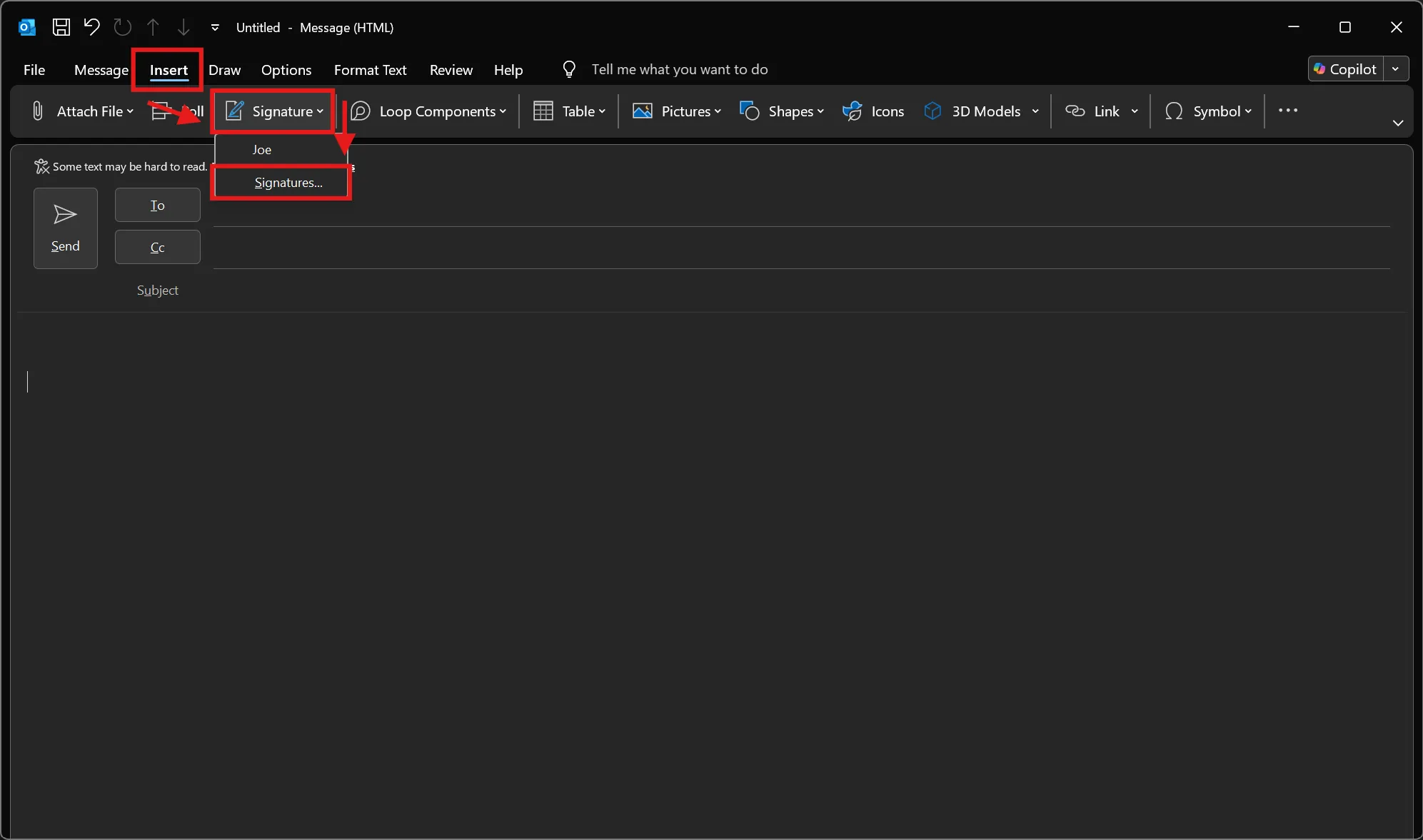
In a new message, go to Insert › Signature › Signatures.
-
Click New, name it
Megtech, paste into the Edit signature box, and set it as default for New messages and Replies/forwards. Click OK.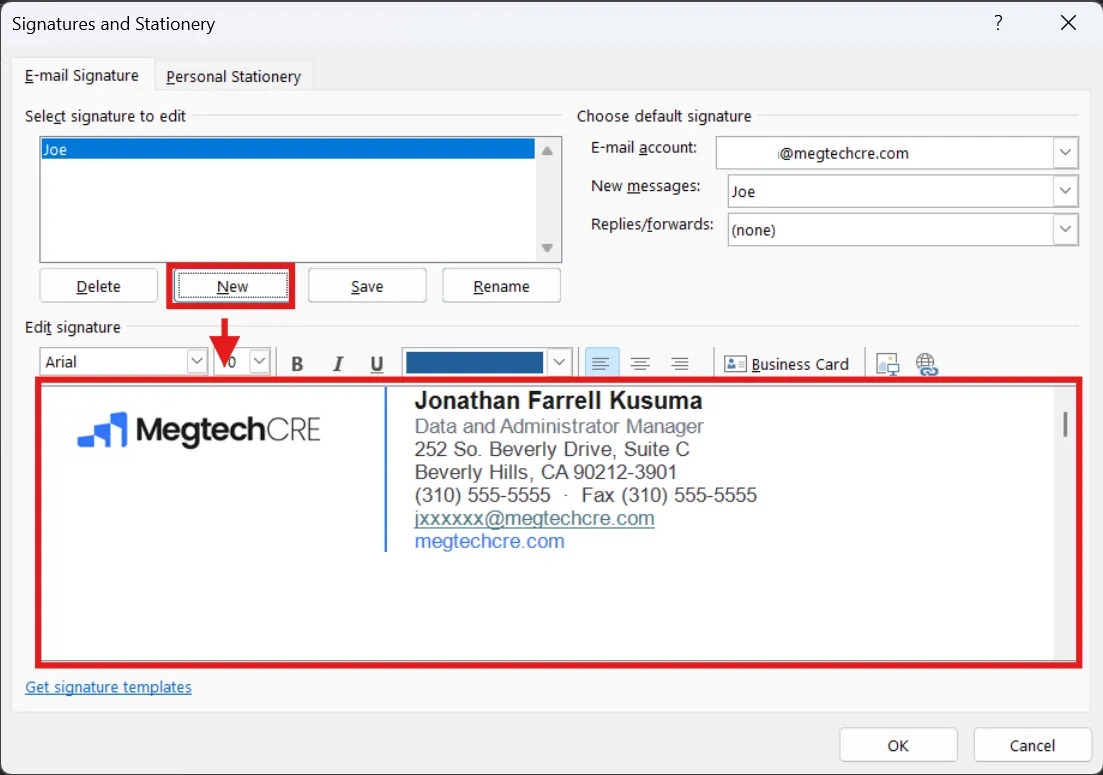
Brand assets Logo files, colors, and the chip used in the signature.