

Introduction
Roz reads scanned and emailed PDFs, names them, and files them to the server and Monday.com. It runs on your own PC and opens in your web browser.
Opening Roz
-
Start Roz
Open the Roz program as before. A black window opens. Leave it open. You can minimize it. -
Find Roz in your browser
Roz opens on its own at http://localhost:8765, on the Splitter.
How Work Moves
Every document follows the same path.
-
Bring it in
Split a scan in the Splitter, add files to the Queue, or take email attachments from the Inbox. -
Process it
Roz reads the text, finds the vendor, property and document type, and builds a filename. -
Review it
Check each card on its review page. Yellow marks what Roz was not sure about. -
File it
Send it to the server, this PC, Monday.com, or email.
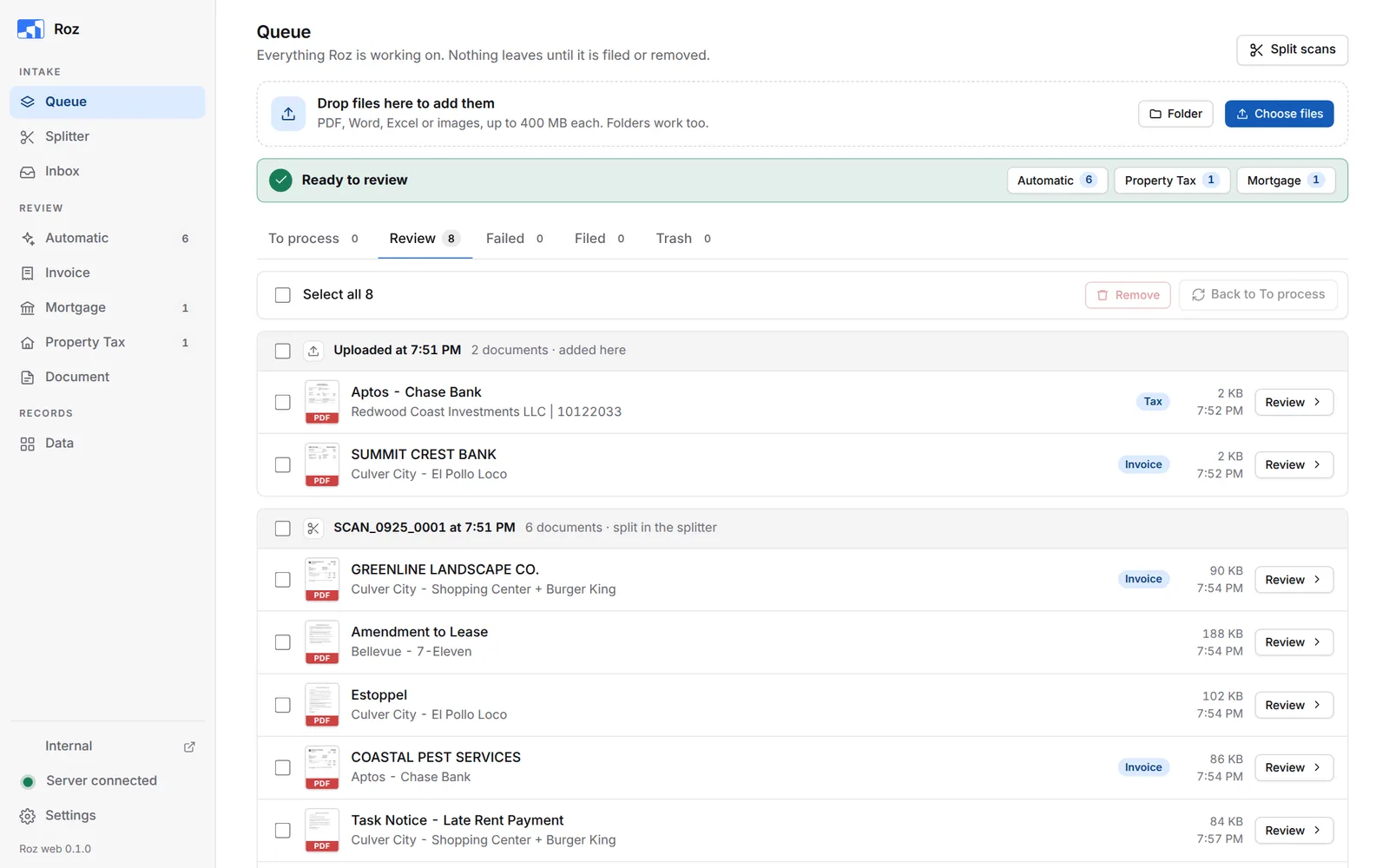
The Side Bar
Pages are grouped by step. A number next to a page shows how many documents wait there.
| Group | Page | Use it to |
|---|---|---|
| Intake | Queue | See everything Roz is working on. Add files and process them. |
| Intake | Splitter | Split a scanned stack into separate documents. |
| Intake | Inbox | Take email attachments from the shared inbox. |
| Review | Automatic | Review invoices and documents together. |
| Review | Invoice | Review invoices. |
| Review | Mortgage | Review mortgage statements. Export and import the loan list. |
| Review | Property Tax | Match tax bills to the Monday tax board. |
| Review | Document | Review leases, notices and other documents. |
| Records | Data | Edit entities, vendors, invoice routes and other lists. See activity. |
At the bottom of the side bar:
- Internal opens the internal site in a new tab. It shows only when Roz is open on its own.
- The status light. See The Status Light.
- Settings.
On a narrow window, and on the Data page, the side bar shows icons only. Point at an icon to see its name.
The Status Light
The light above Settings shows whether Roz can file.
| Light | Meaning |
|---|---|
| Green, Server connected | Everything is ready. |
| Amber, Server connected with a note | Roz can file, but something needs a look, such as a missing Monday or Google AI key. |
| Red, Server offline | Roz cannot reach the Z: drive. Check that Z: opens in File Explorer. Filing waits until it is back. |
Click the light to see each check: Z: drive, shared database, Monday, Google AI and Microsoft email. Each one links to the setting that fixes it.
Notices
Short messages show at the bottom right, such as Moved to Trash. A bar along the bottom shows how long the notice stays. Point at a notice to keep it open. Some notices have a button, such as Undo or Review.
Nothing Gets Lost
Roz saves your work as you go. You can refresh the page, close the tab, or restart Roz.
- Documents stay in the queue until you file or remove them.
- Filed documents stay in the Filed tab for 14 days.
- Removed documents stay in Trash for 7 days.
- Splitter stacks are kept for 14 days.
Search and Chat
Search and Chat were removed from Roz. To search company documents, use the ROZ connector in Claude.