

Inbox
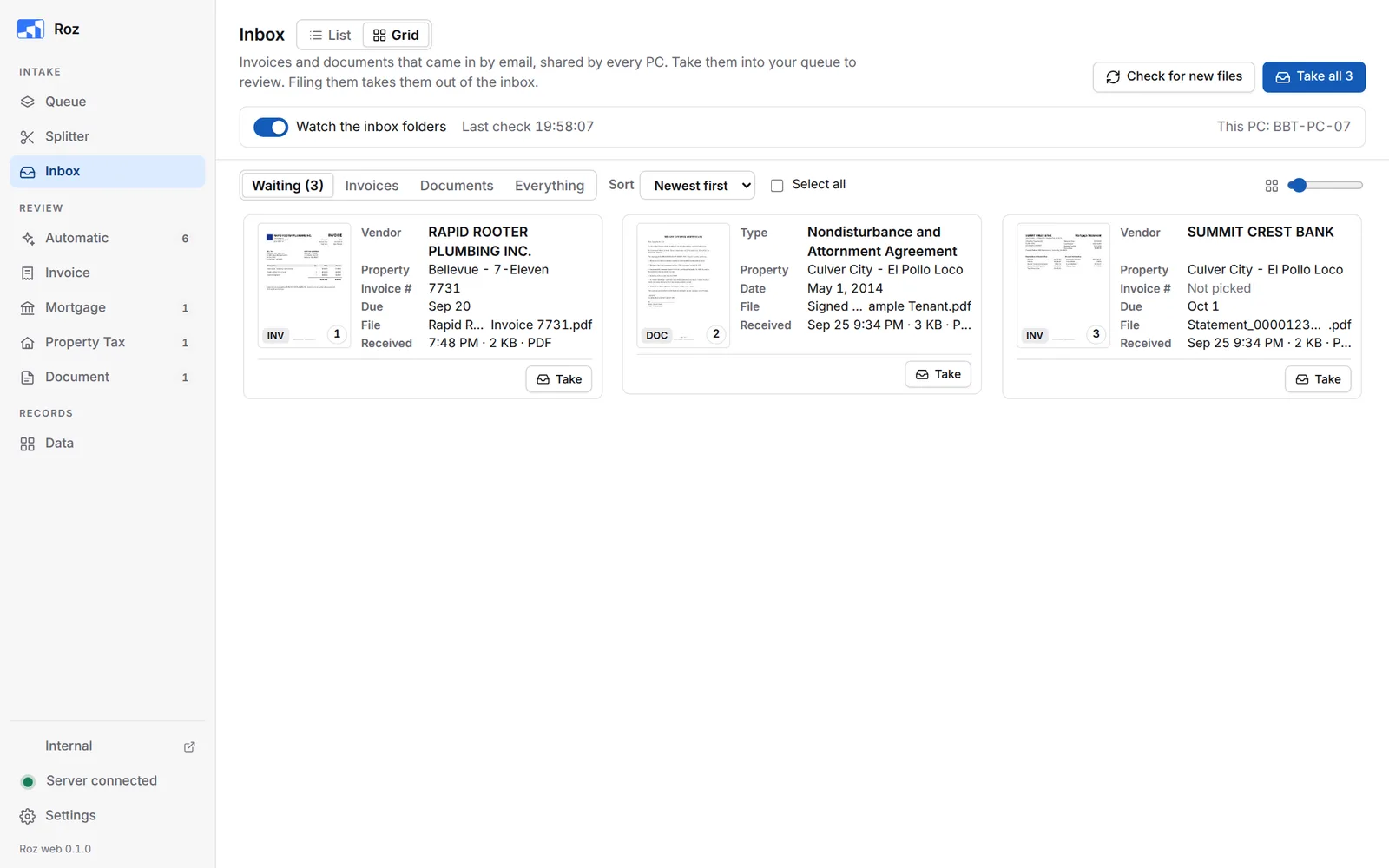
The Inbox shows invoices and documents that came in by email. Every PC sees the same inbox. Take a document into your queue to review it. Filing it takes it out of the inbox for everyone.
Where the Files Come From
Email attachments and dropped files land in two shared folders:
| Folder | For |
|---|---|
Z:\Shared\BBT Asset Management Inc\Inbox\Invoices | Invoices |
Z:\Shared\BBT Asset Management Inc\Inbox\Documents | Documents |
While Watch the inbox folders is on, Roz checks these folders every 5 minutes. It reads new files ahead of time, so each card already shows the vendor or type, the property and the date.
You can also drop a PDF into one of these folders by hand. Click Check for new files to see it right away.
Take Documents
-
Open the Inbox
Click Inbox in the side bar. The Waiting tab shows what nobody has taken yet. -
Take them
Click Take on a card. Or tick several and click Take N into my queue. Take all takes every waiting document. -
Review them
Invoices go to the Invoice page. Documents go to the Document page. Review and file them as usual.
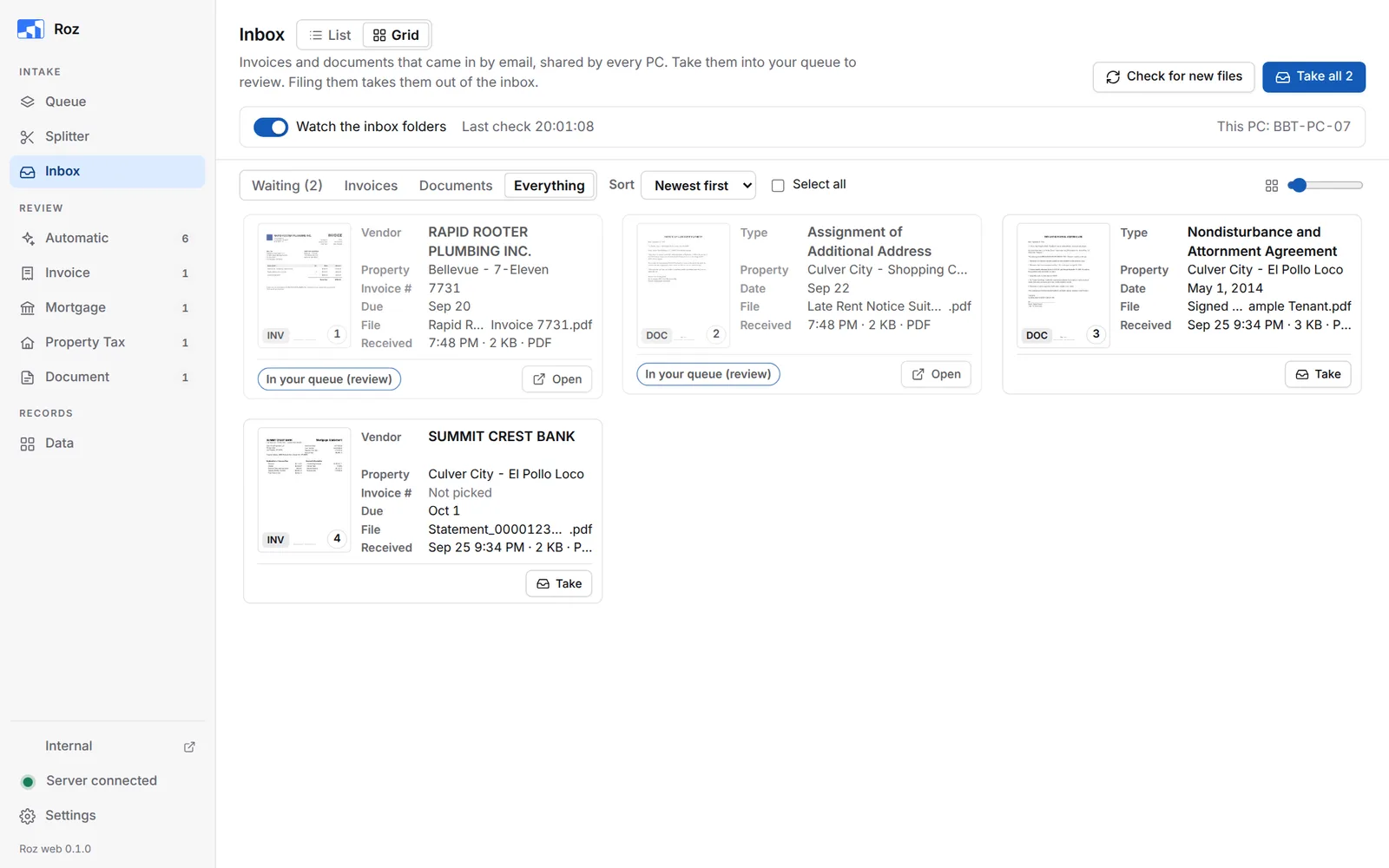
A taken card shows In your queue and an Open button that goes to its review page.
Look Before You Take
Click a card to open it. The page shows on the left. What Roz read shows on the right.
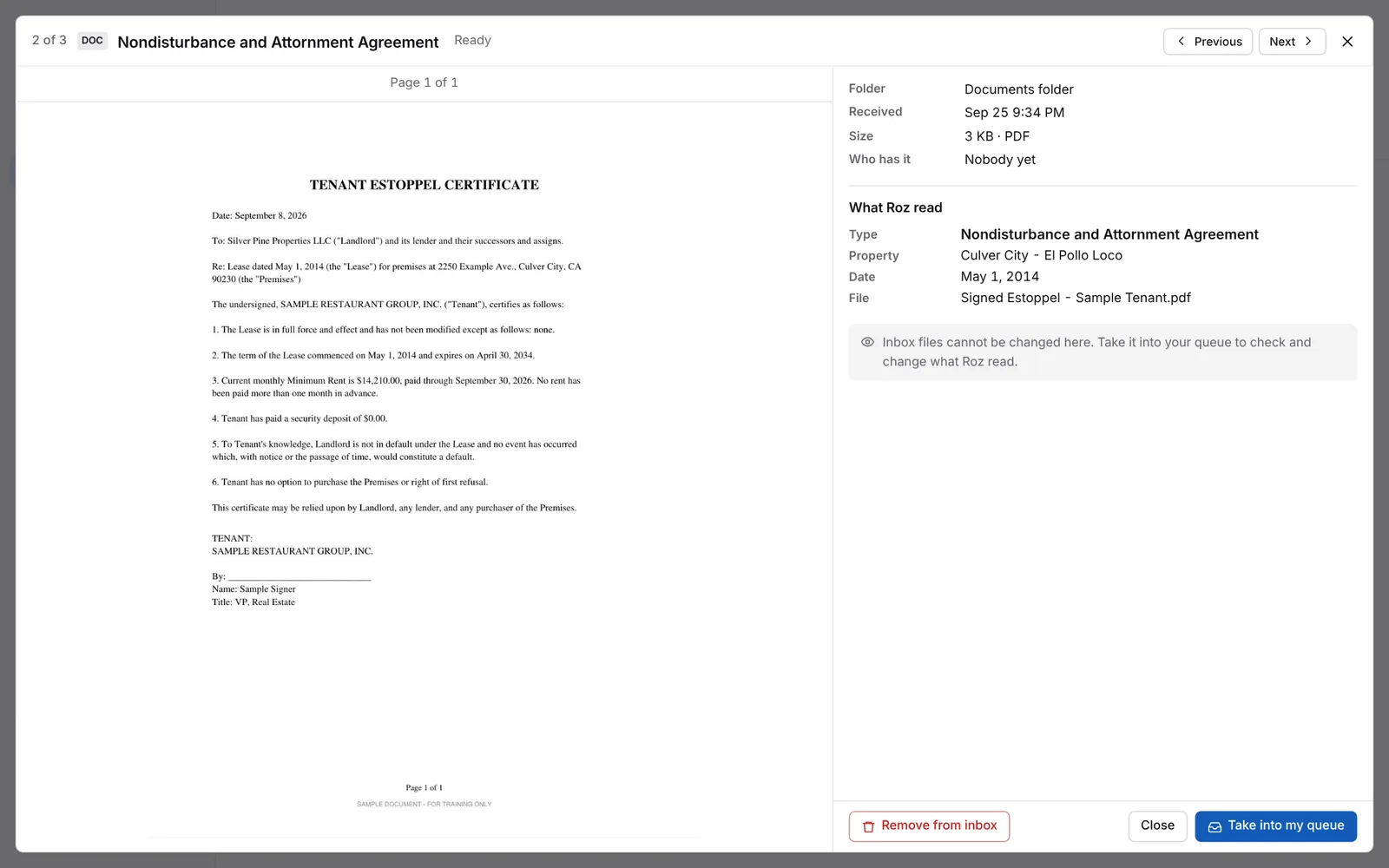
- You cannot change anything here. Take it into your queue to check and change what Roz read.
- Previous and Next move between documents.
- Take into my queue takes it.
- Remove from inbox deletes the file from the shared folder for everyone. Use it only for junk or duplicates.
Tags
| Tag | Meaning |
|---|---|
| Ready | Read and ready to take. |
| Not read yet | Roz has not read it yet. You can still take it. |
| In your queue | You took it. It is waiting on your review page. |
| Taken by a PC name | Someone on another PC took it. You cannot take it. |
| Filed before (red) | An invoice with this vendor and invoice number was filed before. Taking it again may pay it twice. |
Views and Filters
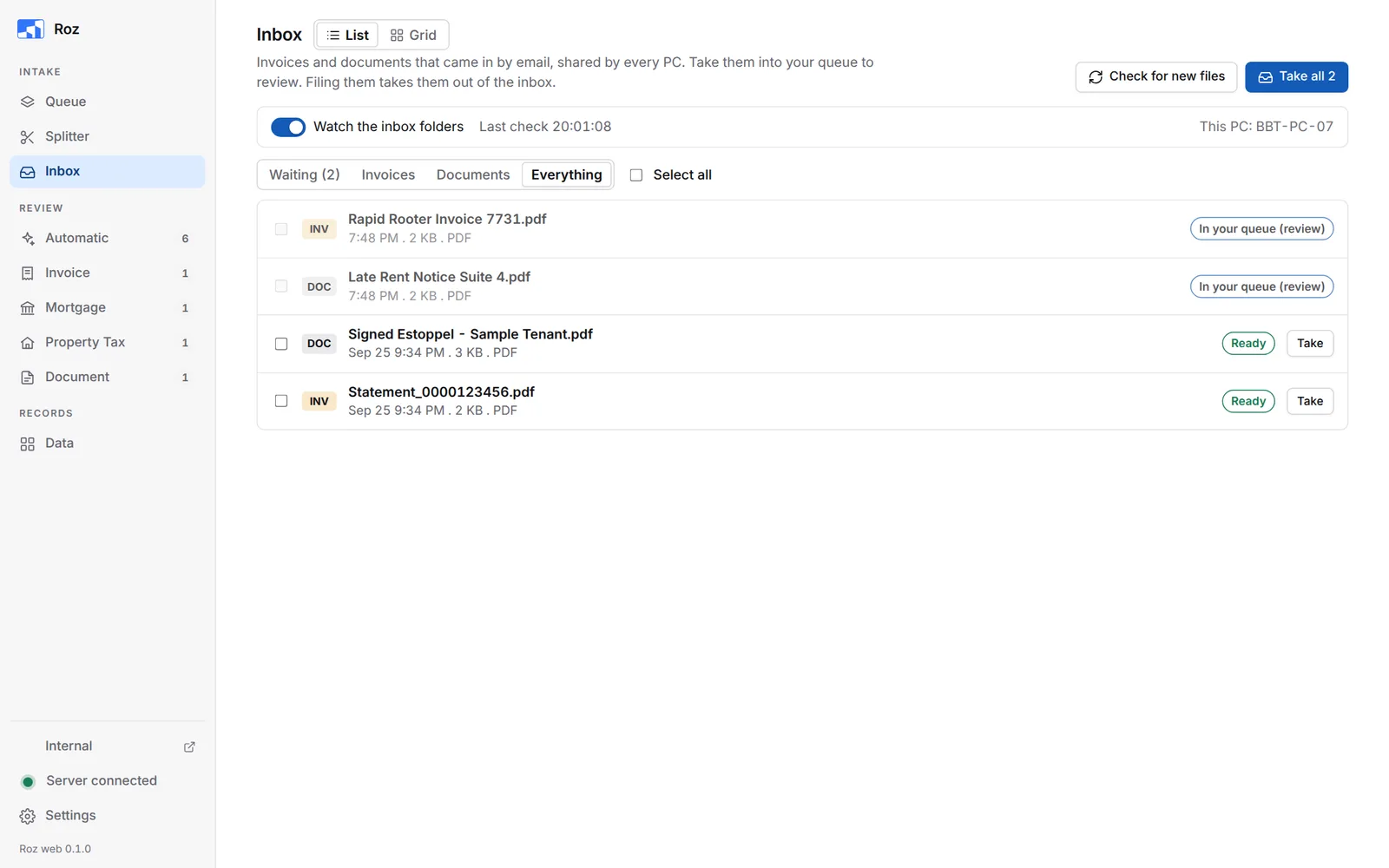
- Grid shows cards with what Roz read. List shows one row per file with its tag and a Take button.
- Waiting / Invoices / Documents / Everything filters the documents.
- Sort puts them newest first, oldest first, or by name.
- Select all ticks every document you can take.
Email Fetch
When email fetch is set up, Fetch email when checking shows next to Watch the inbox folders. With it on, the check button says Check email now and pulls new email attachments too.
Set the mailboxes Roz reads under Settings > Email > Fetch email. See Settings.