

Property Tax
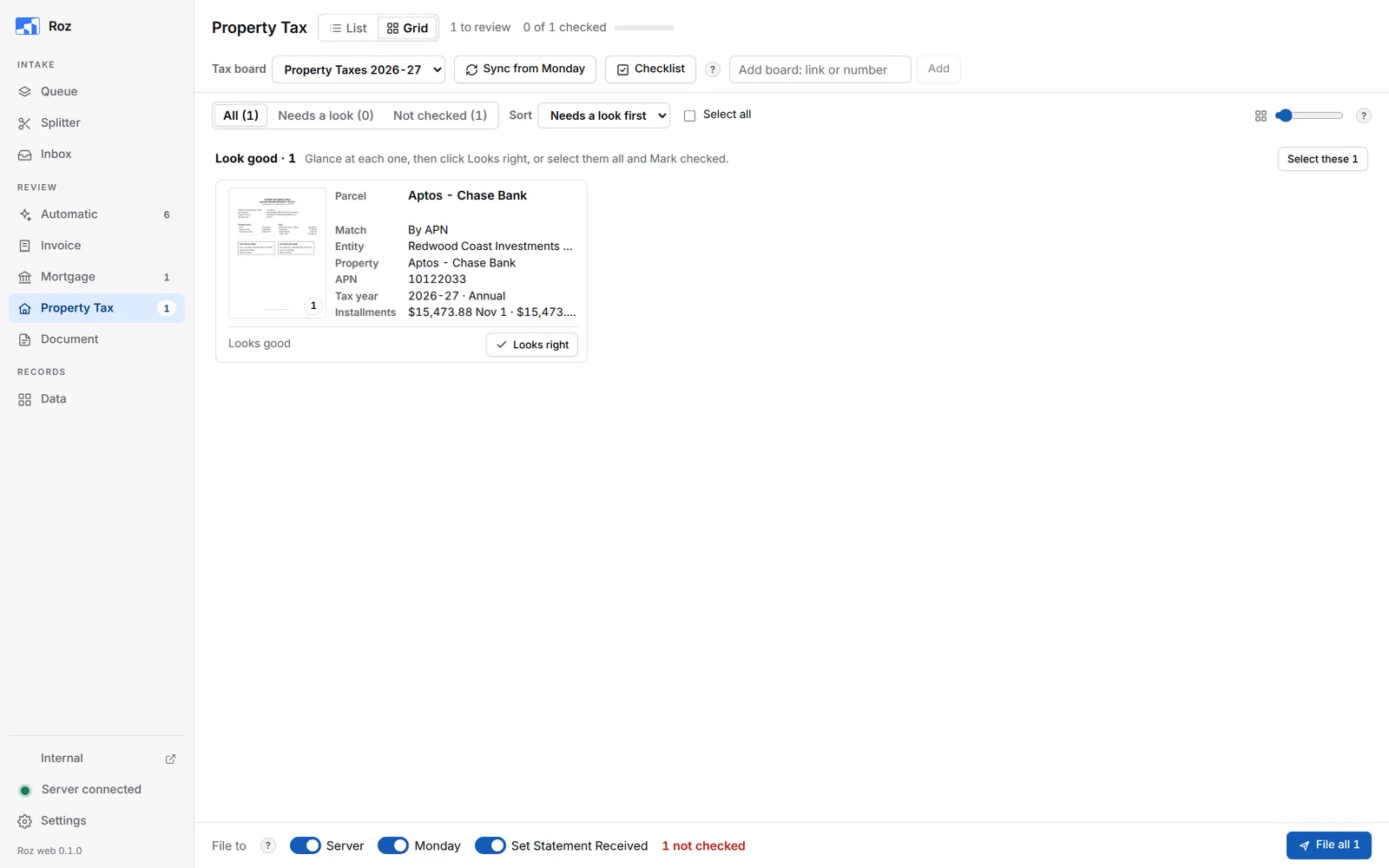
The Property Tax page reads county tax bills and matches each one to its parcel on the Monday tax board. Filing fills the amounts and due dates on Monday and puts the PDF on the server.
It works like the other review pages: cards in a Grid, or one bill at a time in List. See Review and File.
Process a Bill
-
Bring the bill in
Add the PDF to the Queue and process it as Property Tax. For a stack of bills, use the Splitter and pick Property Tax under After splitting. -
Pick the tax board
Choose the tax year board next to Tax board. Click Sync from Monday after any change to the board. -
Look at the match
The card shows how the bill matched under Match. By APN is an exact parcel match. Anything else is yellow: open the card and check the parcel. -
Check the amounts and due dates
Compare each installment with the bill. If all is right, click Looks right. -
File
Leave Server, Monday and Set Statement Received on. Click File.
The Tax Card
Click a card to open it.
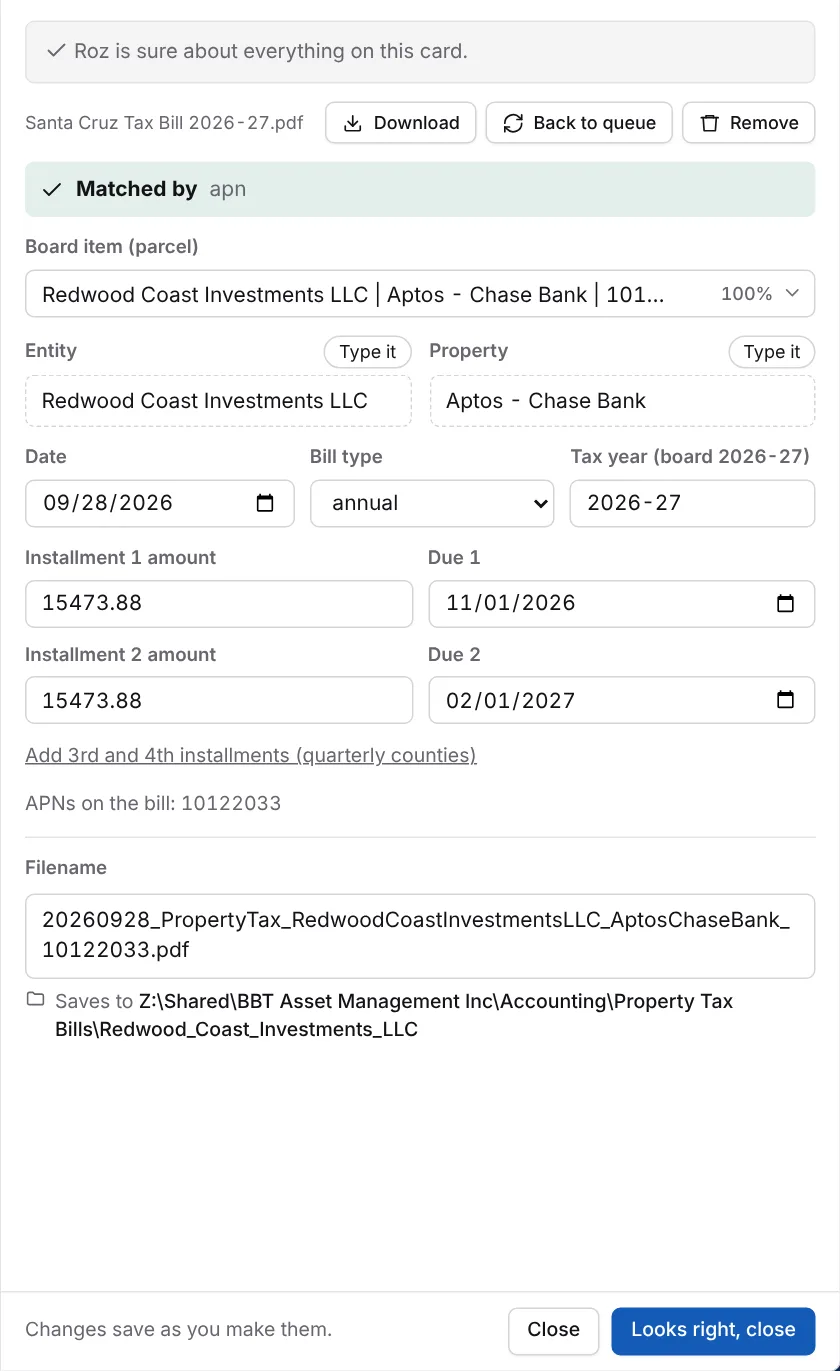
The bar at the top says how the bill matched: Matched by apn, Check the match, or No match found. A bill with no board item is skipped when filing.
| Field | What it is |
|---|---|
| Board item (parcel) | The Monday item this bill belongs to. Click it to pick another. Every item is scored against the bill. |
| Entity / Property | Taken from the board. Click Type it to change them. Use board value goes back. |
| Date | The date used in the filename. |
| Bill type | Annual, supplemental, escape, corrected or other. |
| Tax year | The tax year on the bill, such as 2026-27. |
| Installment amounts and due dates | Installments 1 and 2. The 3rd and 4th show when the bill has them. Otherwise click Add 3rd and 4th installments. |
| APNs on the bill | The parcel numbers Roz found. The match runs on these. |
Bills save to:
Z:\Shared\BBT Asset Management Inc\Accounting\Property Tax Bills\<Entity>\The filename follows yyyymmdd_PropertyTax_Entity_Property_APN.pdf.
Add the APN on Monday
After filing, Roz may ask Add the APN on Monday? This shows when the board item has no APN yet. Tick the items and click Add to the board. The next bill for that parcel then matches right away. Roz never overwrites an APN already on the board.
Checklist
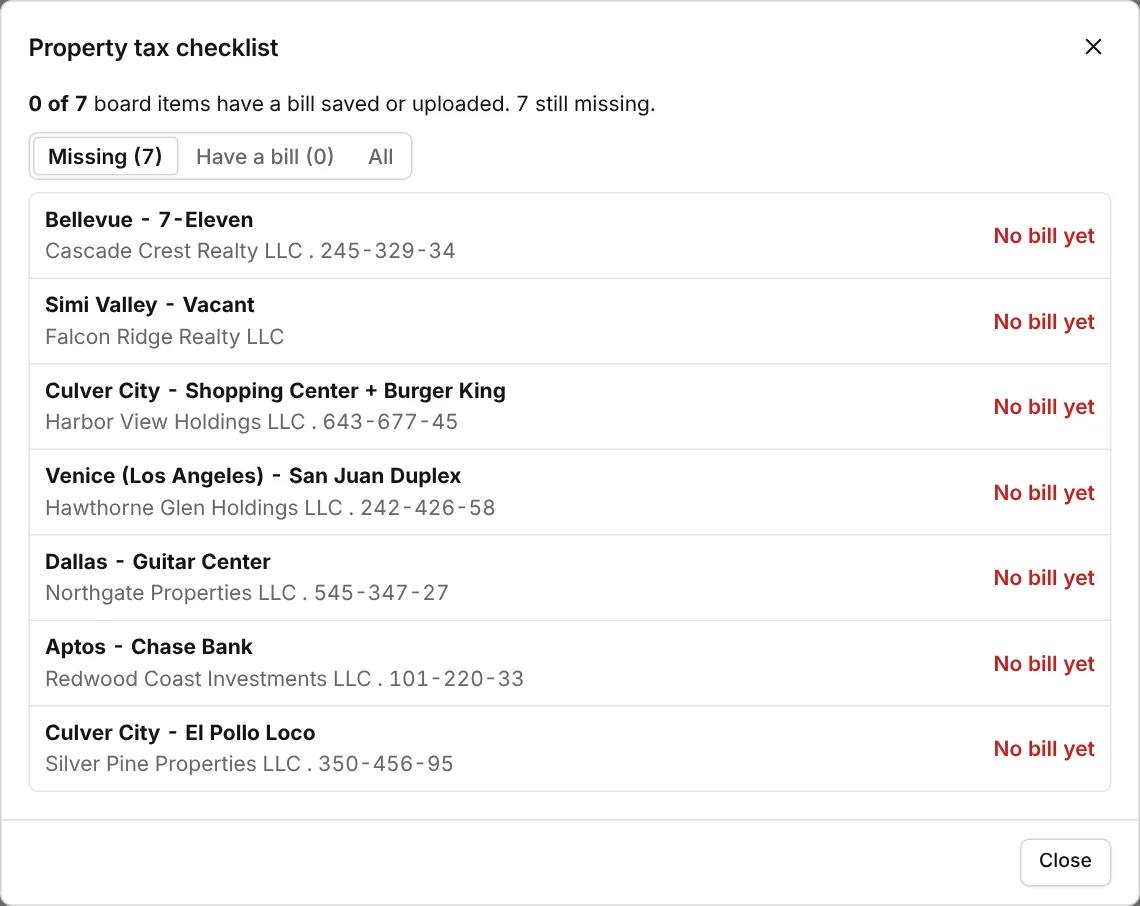
Click Checklist at the top to see which board items have a bill this year and which are still missing.
Add a Tax Board
Each tax year has its own Monday board. Paste the board link or number in Add board: link or number and click Add. Then click Sync from Monday.