

Invoices and Mortgages
Invoices show on the Automatic and Invoice pages. Mortgage statements show on the Mortgage page. Click a card to open it.
The Invoice Card
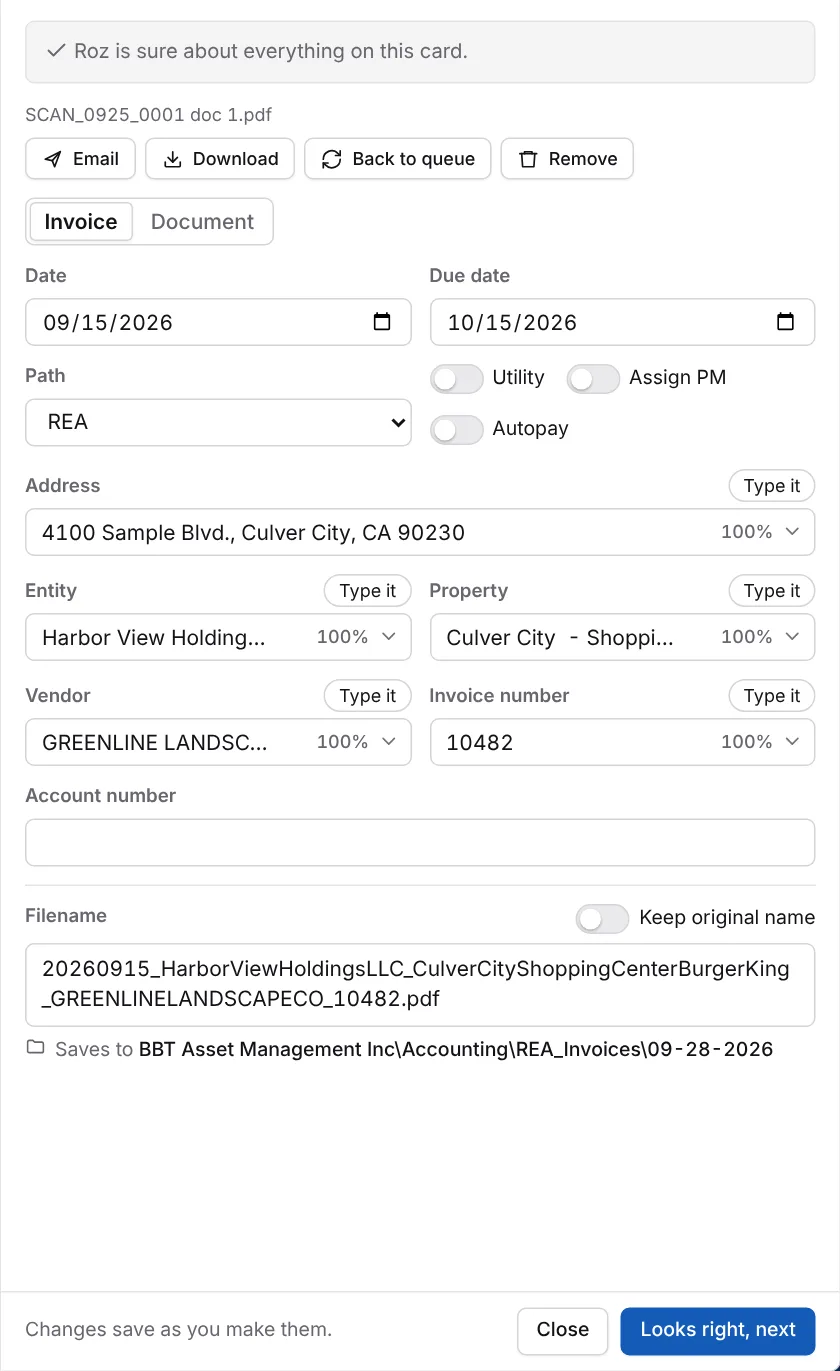
| Field | What it is |
|---|---|
| Date | The invoice date. |
| Due date | When the invoice is due. Leave it blank if the invoice has none. |
| Path | The Accounting folder it files to, such as REA, DEE or LOAN. See Path Routing. |
| Utility | Marks the vendor as a utility. Future invoices from this vendor are marked too. |
| Assign PM | Assigns the property manager on Monday. |
| Autopay | Marks the invoice as paid by autopay. |
| Address | The property address. Picking one fills Entity and Property. |
| Entity | The company that owns the property. |
| Property | The property name. |
| Vendor | Who sent the invoice. |
| Invoice number | The number on the invoice. Pick N/A if there is none. |
| Account number | The account number, if the invoice has one. |
Notify with a manager’s name shows on some invoice cards. It emails the invoice to that property manager.
Type a Value
When the right value is not in the list, click Type it and enter it. Press Enter or click away to save. Pick from list goes back to the matches.
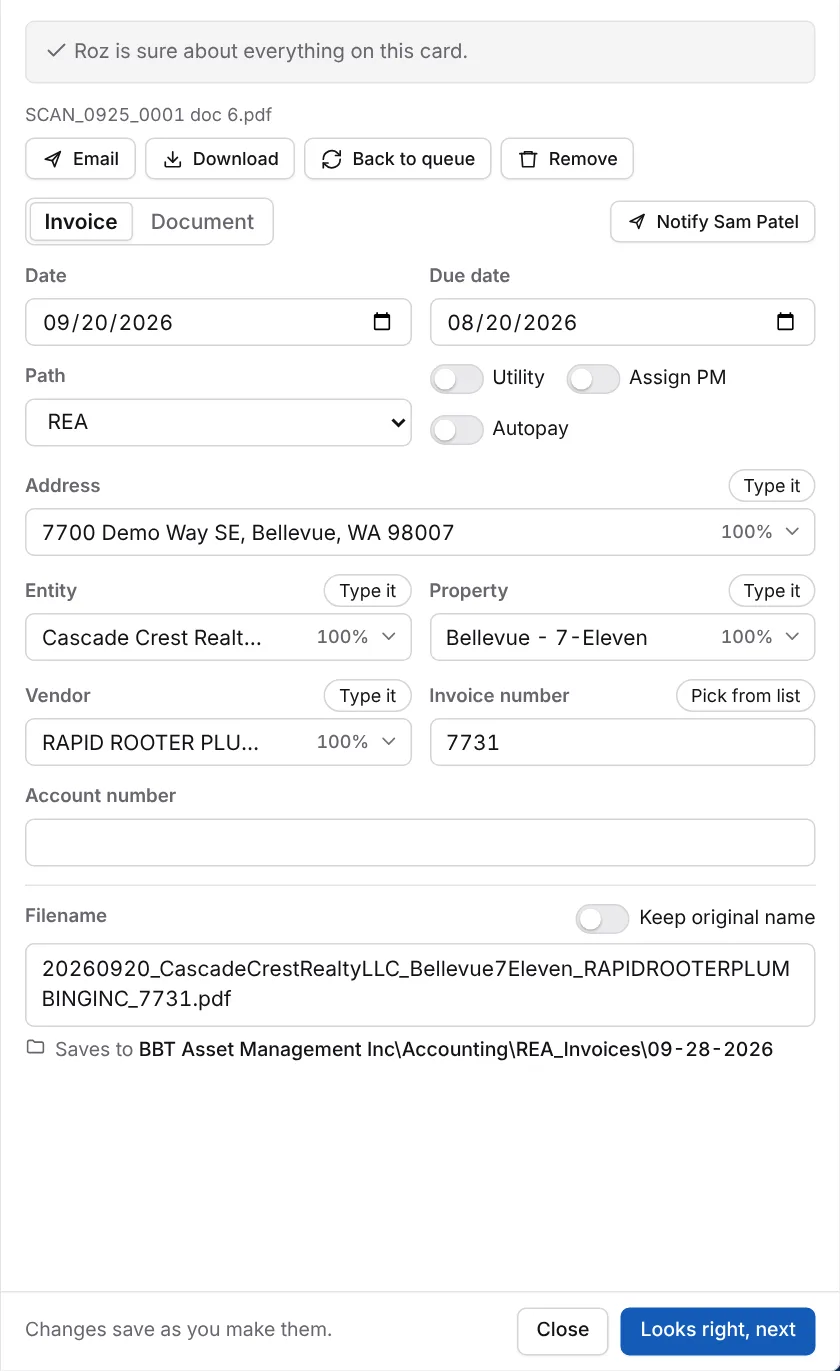
A vendor you type is added to the vendor list. A notice at the bottom right asks if Roz should check the other invoices waiting for review for that vendor. Click Check them. When the check is done, click Review in the notice. Untick any that are not from it, then click Set on. Put back on a card undoes it for that card. Only invoices nobody has reviewed yet are checked.
Processed Before
If Roz already filed this invoice, the card gets a red edge. The card says This invoice was processed before and shows the filename and where it went. Check before filing it again. If it is not a mistake, click Keep it under Fix before filing.
Path Routing
The Path picks the folder under Accounting\. Roz picks it from the rules in Data > Invoice routes.
| Path | Folder | Used for |
|---|---|---|
| REA | REA_Invoices | Everything else. This is the default. |
| DEE | Personal_Invoices | Personal residences. |
| LOAN | Mortgage | Mortgage lenders. |
Changing the property, entity or vendor picks the path again. A path you pick by hand stays.
Save Location
Invoices save to a dated folder:
Z:\Shared\BBT Asset Management Inc\Accounting\<Path folder>\mm-dd-yyyy\For example ...\Accounting\REA_Invoices\09-25-2026\. The REA_Invoices date folder also gets a Posted subfolder for the AppFolio sync.
The filename follows this pattern:
yyyymmdd_Entity_Property_Vendor_InvoiceNumber.pdfExample: 20260915_HarborViewHoldingsLLC_CulverCityShoppingCenterBurgerKing_GREENLINELANDSCAPECO_10482.pdf
Mortgage Statements
Process mortgage statements as Mortgage from the Queue or the Splitter. They show on the Mortgage page.
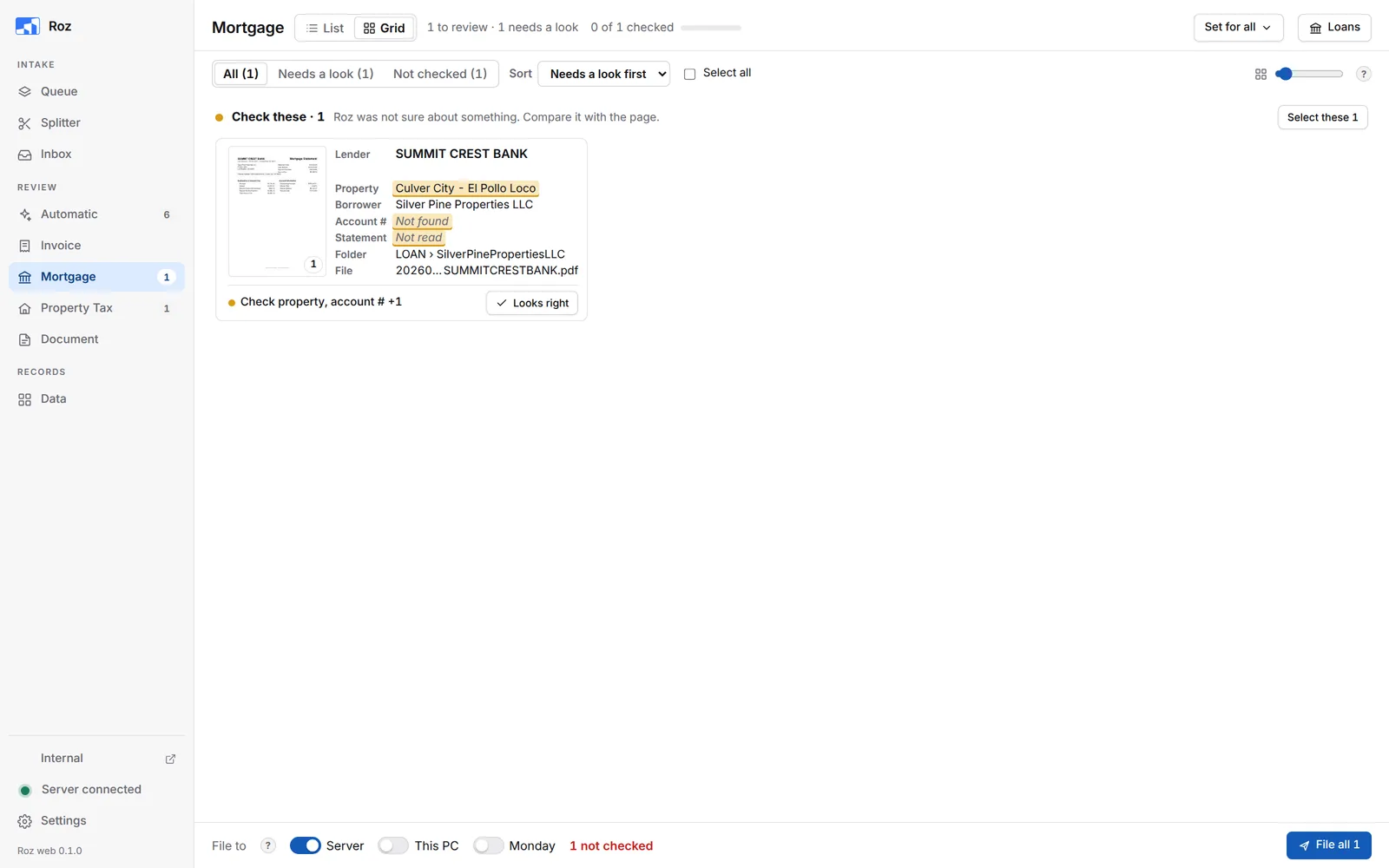
The mortgage card shows the lender, property, borrower, Account # and statement details.
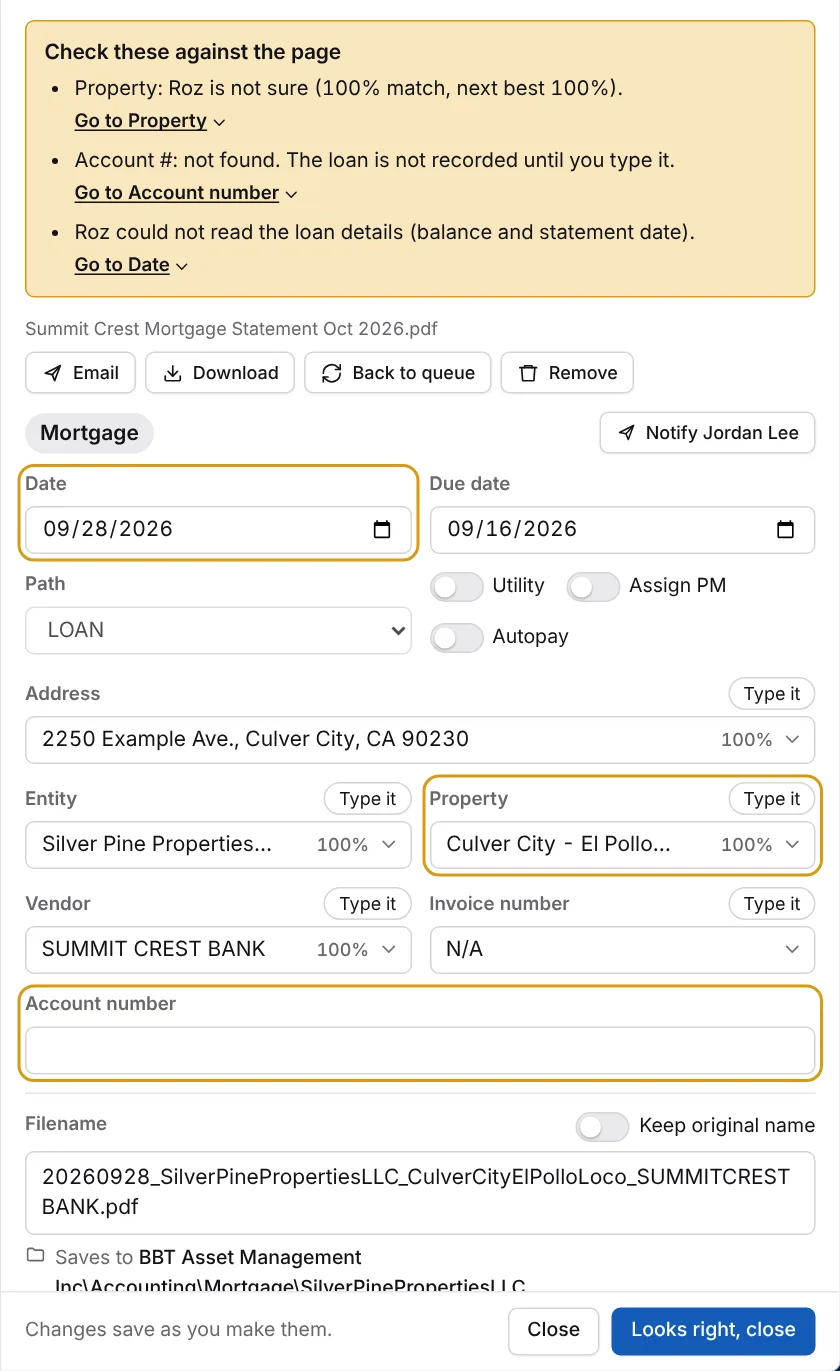
- The Path is always LOAN.
- They save to the borrower’s folder:
Accounting\Mortgage\<Entity>\. - Type the loan number in Account number if Roz did not find it. The loan is not recorded in the loan list without it.
- File to Server. Filing updates the loan list.
The Loan List
Click Loans at the top of the Mortgage page.
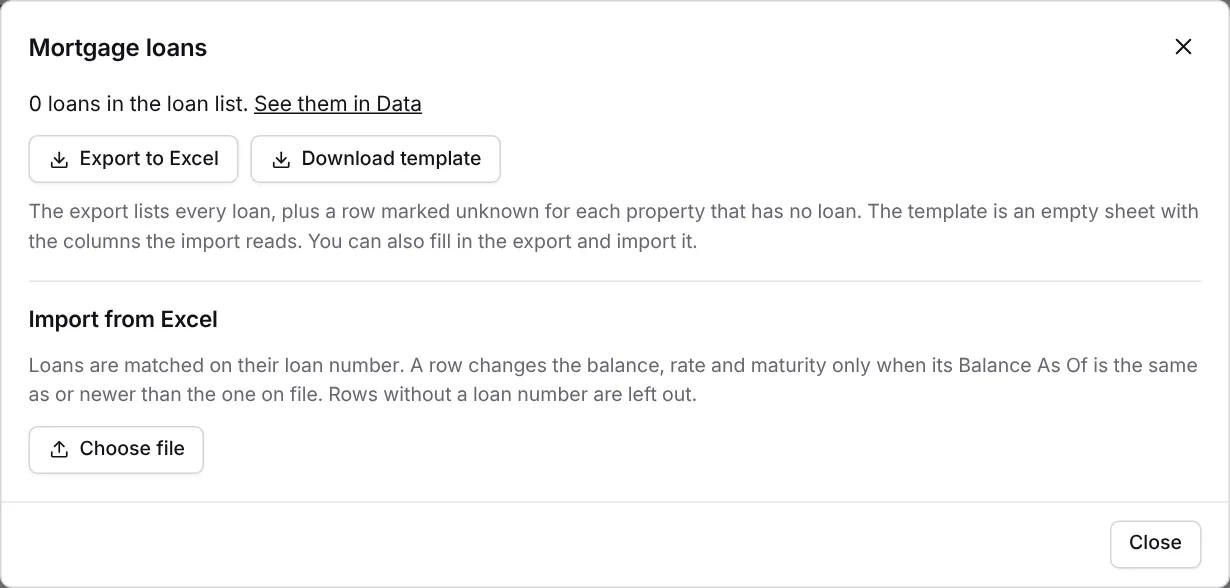
- Export to Excel downloads every loan, plus a row marked unknown for each property with no loan.
- Download template gives an empty sheet with the columns the import reads.
- Choose file under Import from Excel loads a sheet. Pick the sheet, check the preview, then import. Loans match on their loan number. A row only changes the balance, rate and maturity when its Balance As Of is the same or newer than the one on file.
- See them in Data opens the loan list on the Data page.